 Português (Portugal)
  Español (España)
  English (United Kingdom)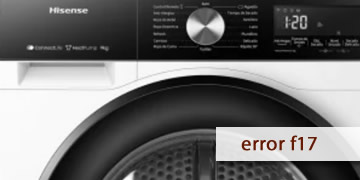
F17 Error on Hisense Dryers
Table of contents
What usually triggers the F17 error on a Hisense dryer
The F17 error on Hisense dryers (and on some washer-dryer models when running in drying mode) most commonly appears when the machine enters overheating protection. In plain terms: the system detects that the drying circuit temperature has risen beyond a safe threshold and stops the cycle to protect the heater, fan, and electronics.
F17 typically shows up in one of these situations:
- Drying starts normally and stops after 10–30 minutes with the code
- Clothes come out very hot but still not fully dry
- The error appears more often with large loads or fabrics that shed a lot of lint
The most common causes are usually related to airflow or temperature sensing:
- A dirty or clogged lint filter
- A condenser/heat exchanger packed with lint (model-dependent)
- Internal ducts partially blocked (compacted lint)
- A drying fan not moving air as it should
- A thermostat/NTC sensor that trips protection too early
Steps to clear F17 and keep it from coming back
With F17, the priority is to lower temperature, restore airflow, and confirm whether it was a one-off event or a repeat caused by a restriction or a thermal control component.
- Let the machine cool down and avoid restart loops
- Turn the dryer off and wait 20–30 minutes
- Don’t force multiple starts in a row: if the unit is still hot, it will protect again
- Do a full power reset
- Unplug it (or switch off the breaker) for 5–10 minutes
- Plug it back in and test a short drying cycle with a small load
- Clean the lint filter with an “F17 mindset”
- Remove visible lint after every cycle
- If there’s a greasy film (fabric softener residue), rinse the filter with warm water, dry it well, and reinstall
- Make sure the filter seats properly and doesn’t leave gaps
When airflow is restricted, temperature rises and the system stops the cycle for protection.
- If your model is condenser/heat-pump, check the condenser area
- Check the condition of the condenser (if your dryer allows access)
- Empty the water tank on condenser models
- Confirm there’s no lint buildup on grilles/air inlets
- Reduce demand: load size, program, and surroundings
- Test with a half load to see if the pattern changes
- Avoid mixing very heavy items with light ones (the dryer works harder)
- Don’t enclose it tightly: leave ventilation around it so it can shed heat
- If F17 returns, suspect an internal restriction or thermal control
- If it appears at roughly the same time each run, it often fits real overheating (air not circulating) or an out-of-range sensor/thermostat
- If you also notice unusual smells or excessive heat, stop testing
- When to call service / a technician
- F17 reappears after cleaning the filter and testing with a small load
- Drying always stops shortly after starting
- There are clear airflow symptoms (almost no air coming out / extreme heat)
At that point, a technician typically checks the fan, internal ducting with lint accumulation, and the NTC sensor/thermostats that control temperature protection.
In most cases, F17 is resolved by addressing the real reason for overheating: restoring airflow and reducing the load. If the code persists, the most efficient move is to have a technician inspect the internal ventilation path and thermal control components to keep drying stable.