 Português (Portugal)
  Español (España)
  English (United Kingdom)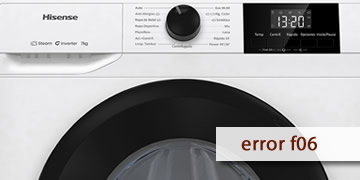
F06 Error on Hisense Washing Machines
Table of Contents
What the F06 error indicates on a Hisense washing machine
The F06 error on Hisense washing machines is linked, in the manuals of several models, to an electronic control module fault. In practice, the washer detects that the control electronics are not operating within normal parameters (inconsistent internal signals, system protection, or a communication/management fault) and stops the program as a safety measure.
That’s why F06 often shows up in these ways:
- The cycle stops suddenly and the code appears on the display
- The washer won’t start or stops shortly after starting
- It may reappear after a brief power dip, a quick reset, or use under “tough” conditions (excessive foam, a heavily unbalanced load, etc.)
In short: F06 is usually not a user “setting” issue; it’s a warning that the electronic control has detected abnormal operation and prefers to lock out rather than continue.
How to clear F06 and what to check so it doesn’t come back
With F06, it’s best to stick to the safe route: do a full reset, rule out conditions that can trigger lockouts (foam, drainage, load balance), and if the error returns, move to technical diagnosis because this is electronics-related.
- Turn the washer off properly and do a complete reset
- Switch the washer off using the power button
- Unplug it (or switch off the breaker) and wait 10 minutes
- Plug it back in and try a short cycle with a small load
This “true” reset helps if the module is stuck in a protection state after a one-off fault.
- Check whether there was excessive foam
- If you see lots of suds on the door glass or residue spilling out, reduce the detergent dose
- Avoid unsuitable detergents or overdosing (very common with soft water)
- If your model allows it, run an extra rinse to flush the circuit
Excessive foam can overload the control system and trigger stops with codes that some models group under module-related faults.
- Check the load and balance before testing again
- Avoid overloading the drum
- Spread the laundry out (especially towels/duvets) so it doesn’t form a single “lump”
- If the cycle was badly unbalanced, cancel it and redistribute the load
- If there’s water left inside, prioritize draining
- If it lets you, run a drain/spin program
- If not, check and clean the pump filter (with towels and a container ready)
- After the full reset, try a short cycle again
- Don’t keep restarting in a loop if F06 returns
- If it appears again after the reset and checks, avoid repeated back-to-back resets
- Repeated attempts can worsen the issue if an electronic component is already failing
- When it makes sense to call a technician
- F06 returns after a full reset and with a small load
- The washer always stops at the same point in the program
- You notice the display rebooting, erratic behavior, or repeated faults after power cuts
In these cases, the usual check is the electronic control module, connectors, and related wiring. If the diagnosis confirms it, the assembly is repaired or replaced.
If F06 was a one-time event, it often clears with a full reset and by removing conditions that strain the system (foam, load balance, draining). If the code comes back easily, the most efficient route is an electronics diagnosis to fix it at the root.