 Português (Portugal)
  Español (España)
  English (United Kingdom)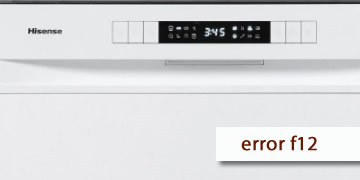
Error F12 on Hisense dishwashers
Table of contents
What the F12 error is indicating on a Hisense dishwasher
The F12 error on Hisense dishwashers usually corresponds to a water inlet problem. In practice, the unit detects that water isn’t entering as it should (insufficient flow, no supply, or a restriction on the inlet) and it stops to avoid running dry or leaving the program halfway.
It’s common for F12 to appear in situations like:
- The dishwasher starts, tries to fill, and shortly after stops with the code
- You hear filling attempts, but the level doesn’t reach what it should or it takes too long
- The program won’t progress and eventually shows the warning
In short: F12 points to the water supply circuit (tap/valve, hose, inlet filter, or household supply) and, if it isn’t corrected, the cycle can’t continue normally.
How to clear F12 and what to check so it doesn’t come back
With F12, it’s best to follow an order that rules out the most common causes (tap closed, clogged filter, or a pinched hose) and quickly tells you if it’s time for technical service.
- Stop the program and work safely
- Turn the dishwasher off
- If you’re going to handle the inlet, close the water tap
- If needed, unplug it before touching anything
- Confirm the basics: tap open and water available
- Make sure the shut-off valve is fully open
- If there was a water outage or low pressure at home, wait and try again later
- Check the inlet hose (no “pinches”)
- Make sure it isn’t bent, crushed, or forced behind the cabinet
- If your installation uses an Aquastop-type system, check that it isn’t under tension
- Clean the inlet filter
- With the tap closed, unscrew the hose at the water connection
- Locate the filter/screen and rinse it with water (use a soft brush if needed)
- Reassemble, open the tap, and check for leaks
If there’s debris or limescale, this filter can clog and the dishwasher interprets it as “insufficient inlet”.
- Do a full reset and test a short cycle
- Turn the unit off, wait 1 minute, then turn it back on
- If the fault seems “stored”, leave it without power for 5 minutes and try again
- Start a short program and watch the filling during the first few minutes
- If F12 returns, avoid repeatedly restarting
- If the code comes back even with the tap open and the filter clean, don’t keep restarting over and over
- If you notice dripping or moisture, close the tap and leave the unit off
- When it’s best to call service / a technician
- F12 returns after cleaning the filter and checking the hose
- There’s good water pressure at home, but the dishwasher still won’t fill
- The problem comes with unusual noises or a leak warning appears as well
In these cases, a technician will typically check the inlet valve, the flow/level sensing system, and the related wiring, because it’s no longer an installation or basic maintenance issue.
If F12 is due to a closed tap, a kinked hose, or a dirty inlet filter, it’s usually resolved by correcting it and resetting. If the warning returns with everything OK, the most efficient approach is a technical diagnosis to go straight to the inlet-related component.