 Português (Portugal)
  Español (España)
  English (United Kingdom)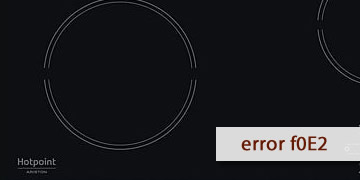
F0E2 Error on Hotpoint Hobs
Table of contents
What the F0E2 error usually means on a Hotpoint hob
The F0E2 error on Hotpoint hobs is part of the group of codes for which the manufacturer does not provide a detailed cause in the user manual, but instead gives a direct instruction: disconnect the hob from the power supply, wait a few seconds, and reconnect it. If the warning appears again, Hotpoint indicates that the appropriate step is to contact technical service.
This means that, from the user’s point of view, F0E2 is usually treated as an internal operating or control error, rather than as a normal usage warning such as incorrectly placed cookware or a power limitation. For that reason, when it appears, the idea is not to keep testing cookware or zones without direction, but to check whether the fault disappears after a full electrical reset.
When this code appears, it is common to notice one or more of these behaviours:
- The hob does not start normally
- One or more zones do not respond as they should
- The code appears when switching the appliance on
- After restarting, the warning appears again on the display
As Hotpoint does not assign any further specific explanation to F0E2 in that manual, the most prudent approach is not to attribute it to a single component without prior checks.
How to clear F0E2 and what to do if it appears again
If you see F0E2, the most useful thing is to follow the basic procedure indicated in Hotpoint’s own troubleshooting table. If the error still appears afterwards, it is no longer advisable to keep insisting too much, and the sensible next step is technical diagnosis.
- Disconnect the hob from the power supply
- Turn the hob off if it lets you do so
- Cut the power from the plug or from the corresponding electrical supply
- Hotpoint expressly indicates that it must be disconnected from the electrical network
- Wait a few seconds before reconnecting it
- Do not reconnect it immediately
- Wait a few seconds so that the system can reset
- Then restore power to the hob
- Check whether the code has disappeared
- Turn the hob on again
- Test a cooking zone normally
- See whether F0E2 appears again as soon as it starts up or when you try to use it
- Do not repeat attempts in a loop if it reappears
- If the error comes back again and again, it is not usually solved by forcing more restarts
- At that point, continuing to insist rarely adds anything useful
- When it is worth calling technical service or a technician
- F0E2 continues to appear after disconnecting and reconnecting the hob
- The hob does not allow normal cooking
- The code appears permanently every time you switch it on
In that case, Hotpoint recommends contacting technical service and reporting the exact code shown on the display, since that information helps guide the inspection from the start.
If F0E2 was a one-off occurrence, an electrical reset may be enough to restore operation. If it keeps repeating, the most efficient solution is a technical inspection to identify the real cause of the error and avoid wasting time on tests that will not solve it.