 Português (Portugal)
  Español (España)
  English (United Kingdom)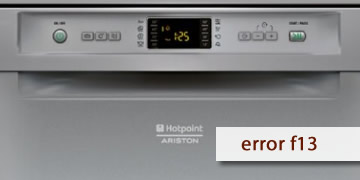
F13 Error on Hotpoint Dishwashers
Table of contents
What the F13 error usually means on a Hotpoint dishwasher
The F13 error on Hotpoint dishwashers is usually associated with a main board failure (electronic module). In practice, the electronics detect an internal anomaly and the appliance goes into protection mode, so it may fail to start the program, stop halfway through, or remain locked.
It usually presents like this:
- The dishwasher does not start or stops shortly after beginning
- The control panel behaves irregularly (responds only sometimes)
- The error appears after electrical events (brief power cuts or reconnection)
How to clear F13 and what to do if it comes back
With F13, the only really useful user-level test is a complete reset and a stable power supply. If it repeats, it usually requires technical diagnosis.
- Complete power reset
- Turn off the dishwasher
- Unplug it from the power supply for 5 minutes
- Plug it back in and test a short program
- Rule out a power outlet issue
- Avoid power strips
- If the plug or socket has poor contact, switch to another outlet
- If there are brief power cuts in the home, the error may reappear easily
- Do not repeat start attempts in a loop
- If the code always comes back, insisting will only prolong the problem
- Note whether it appears when switching on or when starting the cycle (useful information for technical support)
- When it is advisable to call technical support/a technician
- F13 returns after the complete reset
- The appliance does not allow any program to finish
- The panel remains unstable or does not respond
In that case, the usual procedure is to inspect the main board and its surrounding elements (connectors/power supply) and, if necessary, repair or replace the module
If F13 was caused by a temporary lock-up, it may disappear after a reset. If it keeps coming back, the fastest route is a diagnosis of the main board to solve the issue at its source