 Português (Portugal)
  Español (España)
  English (United Kingdom)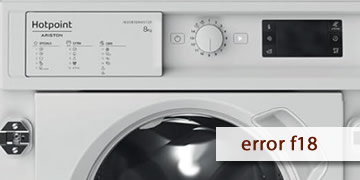
F18 Error on Hotpoint Washing Machines
Table of contents
What the F18 error usually means on a Hotpoint washing machine
The F18 error on Hotpoint washing machines is associated with an internal data error. In practice, the unit detects that the system isn’t managing internal information correctly, and some controls, the display, or function selection may malfunction.
It commonly shows up like this:
- The control panel responds intermittently or won’t let you select programs
- The display shows unusual information or freezes
- The fault appears after brief power interruptions or sudden power fluctuations
How to clear F18 and what to do if it comes back
With F18, the most useful check is a proper power reset. If the error persists, it’s usually not a user-operation issue.
- Proper power reset
- Turn the washing machine off
- Unplug it for at least 2 minutes
- Plug it back in, wait 30 seconds, and try to start
This procedure often clears “frozen” controller states.
- Check the wall outlet
- Avoid power strips and loose sockets
- If possible, try another outlet to rule out a poor connection
- Run a simple test
- Select a short program
- If the panel fails again immediately, it points to a persistent fault
- When it makes sense to call a technician
- F18 reappears after the full reset
- The display or controls still don’t work normally
- The error shows repeatedly after powering on or when starting a cycle
In that case, the usual next step is to inspect the electronic module and connections, because the machine is reporting a real internal issue.
If F18 was a one-off, a full reset often fixes it. If it returns frequently, the most efficient route is a technician’s electronic diagnosis to restore stable operation.