 Português (Portugal)
  Español (España)
  English (United Kingdom)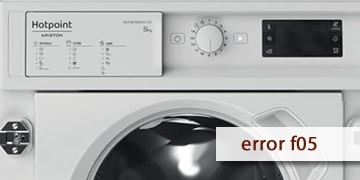
Error F5 on Hotpoint washing machines
Table of contents
What the F5 (F05) error usually means on a Hotpoint washer
The F5 error (on many models it appears as F05) on Hotpoint washing machines typically shows up when the washer detects a drain problem. In other words: the cycle reaches a point where it needs to pump the water out, but the water doesn’t drain as it should, so the machine goes into protection mode.
That’s why the most common symptoms are easy to recognize:
- Water remains in the drum
- The program stops before the spin cycle or doesn’t finish
- The door won’t unlock (or it unlocks but the water is still inside)
The most frequent causes are usually found in the drain path:
- Drain pump filter clogged (lint, coins, hair pins)
- Drain hose kinked, crushed, or poorly positioned
- House drain / trap (siphon) blocked
- Pump struggling to turn or has failed
How to clear F5 and what to check so it doesn’t come back
With F5, the most effective approach is a simple order: make sure the washer can drain, remove any blockages, then reset. This helps you quickly tell whether it’s basic maintenance or a pump-related fault.
- Safety first and water control
- Switch the washer off and unplug it before working near the lower panel
- Have towels and a container ready, because water often comes out when the filter is opened
- Clean the pump filter
- Open the lower flap (depending on the model) and locate the filter cap
- Unscrew it slowly and let the water drain out in a controlled way
- Remove debris and refit the filter, tightening it properly
This step fixes F5 most of the time, because even a small blockage can prevent proper draining.
- Check the drain hose and the drain point
- Make sure the hose isn’t kinked or crushed behind the cabinet
- Verify it isn’t pushed too far into the standpipe (it can cause poor draining)
- If it drains into a trap/siphon, make sure that trap isn’t blocked
- Run a drain/spin test
- Once everything is clear, run Drain or Spin
- If it drains properly, the error usually disappears
- If it doesn’t drain and you only hear a humming sound, the pump may be jammed or damaged
- Full reset to clear the fault state
- Leave the washer unplugged for 5–10 minutes
- Plug it back in and try a short cycle
- When it’s worth calling a technician
- F5 returns even after cleaning the filter and confirming the drain is clear
- The pump doesn’t evacuate water, makes unusual noises, or seems stuck
- The fault appears repeatedly at the same point in the program
In that case, it’s usually time to check the drain pump, any internal blockages, and the drain circuit, because it’s no longer a superficial clog.
If F5/F05 was caused by a blockage, it’s often solved by cleaning the filter and ensuring the drain path is clear. If it returns with everything unobstructed, the most efficient next step is to inspect the pump and the drain circuit to fix the root cause.