 Português (Portugal)
  Español (España)
  English (United Kingdom)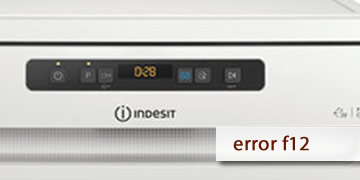
Error F12 on Indesit dishwashers
Table of contents
What the F12 error reveals on an Indesit dishwasher
The F12 error on an Indesit dishwasher usually indicates a communication problem between the main board and the display. In simple terms, the appliance detects that the electronic modules are not exchanging information correctly and, for safety reasons, it may interrupt operation or prevent the programme from progressing normally.
When this happens, the appliance’s behaviour often becomes inconsistent. Sometimes the controls respond poorly, in other cases the programme does not start as it should, and it may also happen that the appliance remains blocked while showing the same warning again and again.
The most common signs in these cases are usually something like this:
- The dishwasher does not respond properly to the buttons
- The programme does not start or stops without any obvious reason
- The display shows the warning repeatedly
- The appliance seems to be switched on, but does not operate normally
For this reason, this code fits better with an issue in the electronic control area than with a typical problem involving water, filters or detergent.
What to do if F12 appears and when to stop trying
If F12 appears, the most logical first step is to perform a full reset of the appliance before drawing further conclusions. If the warning returns after that reset, it usually means the issue is still present and will no longer be solved with basic checks.
- Switch the dishwasher off by holding down ON/OFF
- Press the power button for about 10 seconds
- Wait until the appliance has fully switched off
- Perform a complete shutdown, not just a brief press
- Leave it without power for a few seconds
- Unplug it or cut off the power supply
- Keep it without electricity for a short interval
- This power cut helps reset the electronics
- Reconnect it and check how it behaves
- Switch the appliance back on
- Try a normal programme
- Check whether the code appears immediately or when the cycle tries to start
- Do not keep trying again and again if the fault repeats
- If F12 keeps appearing consistently, insisting will usually not correct the problem
- When communication between modules fails, the warning normally remains
- When it is advisable to request technical assistance
- The code returns after the reset
- The controls or display continue to respond poorly
- The dishwasher does not run programmes normally
In that situation, the most useful thing is to report the exact F12 code so the inspection can focus from the start on the main board, the display and the communication between both modules
If F12 was a one-off issue, the reset may leave the appliance working normally again. If it comes back, the safest option is to stop forcing the appliance and properly check the electronic area to find the underlying cause.