 Português (Portugal)
  Español (España)
  English (United Kingdom)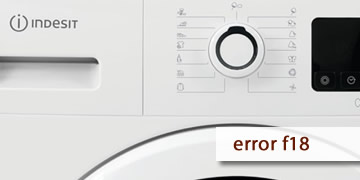
Error F18 in Indesit dryers
Table of contents
What error F18 usually means in Indesit dryers
Error F18 in an Indesit dryer is usually related to an internal data error. When this warning appears, the appliance detects an anomaly in the information it manages internally and, as a result, some functions may stop responding, the display may behave strangely or the machine may not operate normally.
Unlike other codes that point to heating, drum rotation or draining, here the problem is usually felt more in the control area and in the general response of the appliance. In some cases, several functions fail at the same time; in others, the panel seems to switch on, but the dryer does not allow normal use.
The most common signs are usually these:
- The display does not show information normally
- Some functions stop responding
- The dryer switches on but does not work properly
- The same warning appears again after another attempt
For this reason, this code usually fits better with an internal control issue than with a simple daily use or basic maintenance fault.
How to try a reset if F18 appears and when it is best to leave it to a technician
If you see F18 on the display, the most sensible thing to do first is to perform a full reset of the appliance. Both the Indesit Service guide and the official Indesit Spain support indicate that it is advisable to disconnect the dryer from the power supply and try again after waiting for a while. If the warning appears again, the issue is usually still present and will require technical inspection.
- Switch the dryer off completely
- If the appliance is still active, stop any programme attempt
- Switch it off using the power button
- It is best to make sure it has stopped completely
- Disconnect it from the power supply
- Unplug the machine or cut off the power supply
- Leave it without power for the recommended time
- The official reference mentions a minimum of 2 minutes, while Indesit Spain support suggests waiting around 30 minutes
- Reconnect it and wait a moment
- Restore the power supply
- Wait about 30 seconds before trying to start it
- Then check whether the appliance responds normally
- Do not keep repeating tests non-stop
- If the code reappears after the reset, trying over and over again does not usually correct the real cause
- When the fault is in the internal data management, the dryer tends to detect it again
- When it is advisable to request technical assistance
- The display continues to fail
- The functions still do not respond properly
- The error appears again after the reset
At that point, the most useful thing is to report the exact code F18 so the inspection is focused from the beginning on the electronics and the appliance’s internal control system
If F18 was a one-off issue, the reset may be enough for the dryer to work normally again. If it repeats, the safest approach is to thoroughly check the control electronics to locate the real cause of the problem and prevent the appliance from continuing to fail in the display or functions.