 Português (Portugal)
  Español (España)
  English (United Kingdom)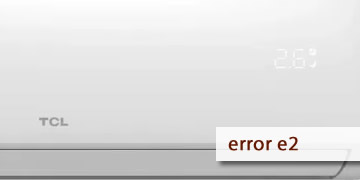
TCL Air Conditioner Error E2
Table of Contents
What could this error code mean on TCL air conditioners?
This failure can leave you sweating — literally! But don’t worry, because today we’re giving you the explanation, causes, and solutions for this issue. The Error Code E2 on TCL air conditioners is related to the internal temperature sensor. This component, also known as a thermistor, is essential for measuring and regulating the temperature inside the unit.
A faulty temperature sensor can cause incorrect readings, which negatively affect the unit's performance. In this article, we explain the main causes of this error and the steps you can follow to fix it. Here are the most common reasons this code may appear on your TCL air conditioner display:
- Defective temperature sensor: The sensor may be damaged or out of range, sending incorrect signals to the system. It’s important to inspect it and check if it’s working properly.
- Loose or damaged connections: The sensor cables may be disconnected, worn, broken, or corroded. You should inspect the wiring and ensure it's functioning at 100%.
- Faulty control board: If the PCB can’t properly interpret the sensor data, this error code can also appear.
- Dust or dirt buildup: Dust or particles may interfere with the sensor’s performance or readings, so preventive cleaning might solve the problem.
How can you fix error code E2 on TCL air conditioners?
Here’s a list of solutions you can follow step by step. If you do everything carefully, you’ll likely fix this issue in no time:
- Turn off and unplug the air conditioner for a few minutes: This common reset procedure may help the sensor restart. Turn off the unit completely and unplug it from the power source for about 10 minutes. Once the time has passed, plug it back in and turn it on to see if it works properly. This helps discharge any residual electricity from the components and resets the system from scratch.
- Clean the temperature sensor and the indoor unit: Be sure to disconnect the AC from the power before starting. Remove the indoor unit’s cover to access the sensor, which is typically located near the evaporator fins. Use a soft, dry cloth to clean it and ensure there's no dust buildup nearby. You can also use an electronic cleaner on its contacts. Clean the fan blades as well to ensure proper airflow.
- Check the temperature sensor inside the AC unit: Inspect the sensor for looseness, wear, or visible damage. Use a multimeter to test its resistance and compare it to the manufacturer’s specifications. If it’s out of range, replace it with a new and compatible sensor for your model.
- Check the air conditioner’s electrical connections: Make sure the sensor connectors are properly attached and that there are no damaged, disconnected, or corroded wires. Replace any faulty wiring with new ones of the same gauge and voltage specifications.
- Replace the temperature sensor if necessary: Buy a temperature sensor specifically made for your TCL model or an identical replacement. Remove the faulty one and install the new sensor, ensuring it fits securely. Then test the unit to confirm it's working properly.
- Check the PCB (electronic control board): Look for signs of burns or damage on the control board. Use a multimeter to test the components. If the board is defective or the problem continues after replacing the sensor, it’s likely that professional repair is needed.
- Test the air conditioner to confirm everything is working: After completing all the steps, reassemble the unit and plug it back in. Turn it on and check whether the E2 error is resolved and if the sensor works correctly. If the issue remains, quickly review all previous steps to make sure everything was done properly.
- If the problem persists, a qualified technician may have the solution: This fault might be more complex than it seems. If that’s your case, seek help from a certified service technician experienced with air conditioners and electronic components.
Contact an expert if you feel stuck during the process! To prevent this issue from returning, we recommend using a voltage regulator, cleaning the unit regularly, and scheduling preventive maintenance at least once or twice a year. These steps will help ensure your AC unit runs efficiently and lasts longer.