 Português (Portugal)
  Español (España)
  English (United Kingdom)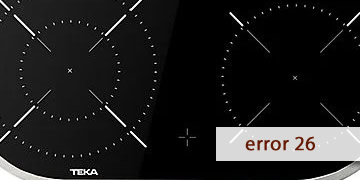
Error 26 (ER26) on Teka Ceramic Hobs
Table of contents
What error 26 (ER26) means on a Teka ceramic hob
The 26 / ER26 error on a Teka ceramic hob is associated with an abnormal voltage reading in the electronics. In technical documentation it is described as very high voltage at the relay when the hob stops or very low voltage while it is operating, and as a protection measure the hob cuts operation to prevent damage.
That is why the typical ER26 pattern is usually one of these:
- The hob turns on, you try to use a zone and it switches off or locks showing 26/ER26.
- The error appears after a micro power cut, a voltage dip, or a brief surge.
- It happens when other high-load appliances are running at the same time (oven, water heater, etc.).
- It is intermittent: it can disappear for days and return without you changing anything.
In short: ER26 points to a power supply/voltage management issue in the control circuit (it is not a “user handling” fault).
How to clear error 26 (ER26) and what to check first
Important: a ceramic hob operates on mains voltage. Do not handle the terminal block or open the hob unless you are a professional. These steps help you rule out the most common causes and reach a clear diagnosis.
- Perform a full electrical reset
- Switch off the circuit breaker for the hob circuit.
- Wait 3–5 minutes (a real power cut, not just switching off at the panel).
- Restore power and test a single zone at medium power.
If ER26 was caused by a one-off spike, this reset often returns the hob to a stable state.
- Check whether the error appears with other appliances running
- Test the hob without the oven, water heater, or other heavy loads for a few minutes.
- If it does not appear in that scenario, the issue may be linked to voltage drops or an overloaded installation.
- Avoid “forcing” the hob with repeated attempts
- If 26/ER26 appears, do not repeatedly switch it on and off.
- Make one attempt after the reset and move to the next step if it returns.
- Electrical connection check (professional only)
- Check terminal tightness and the condition of the supply cable.
- Verify that the installation matches the required configuration and cable gauge for the hob.
- Measure voltage under load to rule out dips or spikes.
A loose terminal or an unstable supply line can cause exactly this type of error.
- If it persists: when it makes sense to call service
- The error returns after resets and with the installation verified.
- The hob switches off even with light use and with no other major loads.
- The fault appears the same way every time, even when cold.
In technical documentation, ER26 often requires work on the control unit, because the system detects voltage outside parameters and protects itself.
- To reduce the chance of it coming back
- Avoid power strips or temporary connections: use a direct, stable supply.
- If your area has micro cuts, consider suitable electrical protection at the breaker panel (per local regulations).
- If the error appears after renovation/reconnections, check terminals before blaming the hob.
If your display shows only “26”, you can treat it as ER26: a warning of abnormal voltage. If it repeats after a reset and basic checks, the most efficient path is to check supply and installation and, if everything is correct, move on to electronic diagnosis.