 Português (Portugal)
  Español (España)
  English (United Kingdom)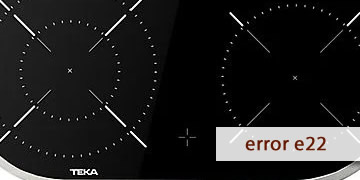
E22 Error on Teka Ceramic Hobs
Table of contents
What the E22 error means on a Teka ceramic hob
The E22 error on a Teka ceramic hob is usually related to a reading or communication issue in the touch control panel. Put simply: the hob detects that the keypad is not responding reliably or that inconsistent signals are coming from the controls, and for safety it blocks operation to prevent unintended activations.
This code often appears with fairly recognizable patterns:
- The hob turns on, but the panel responds erratically or locks and shows E22.
- The error appears after cleaning the glass, with moisture or product residue around the controls.
- It repeats after cooking with a lot of steam or after spills near the control area.
- It shows up after a micro power cut or a quick reconnection at the breaker panel.
In practice, E22 is rarely related to cookware or “incorrect use”. It is a protection triggered when the touch control cannot interpret commands consistently.
Steps to clear E22 and prevent it from coming back
Because the hob operates on mains voltage, avoid opening it if you are not a professional. This process helps you rule out common causes (moisture, interference, and reset) before assuming a touch control fault.
- Remove any objects and keep the control area clear
- Remove cloths, lids, utensils, or anything resting on or near the controls.
- Avoid resting your hand on the control area while testing.
Many keypad incidents are caused by “phantom presses” due to accidental contact.
- Clean and, above all, dry the control area thoroughly
- Wipe with a soft cloth slightly dampened to remove grease or residue.
- Then dry with a completely dry cloth, without leaving a moisture film.
- If you have just cleaned it, wait 2–3 minutes before switching on.
Moisture, steam, and cleaner residue are very common causes of erratic readings.
- Let the hob rest and avoid repeated attempts
- Switch the hob off and wait 5–10 minutes.
- This allows sensors and the control electronics to stabilize.
- Perform a full electrical reset
- Switch off the circuit breaker for the hob circuit.
- Wait 3–5 minutes.
- Restore power and test with brief taps, without pressing and holding.
This reset often clears touch control lock-ups after micro cuts or voltage spikes.
- Check whether E22 appears when cold or after cooking
- When cold and at start-up: often points to a keypad, connector, or control electronics issue.
- After cooking or with heat/steam: often interference from moisture, temperature, or insufficient ventilation.
- Improve the environment to prevent it from coming back
- Do not leave wet cloths or objects on the control area.
- Keep the cabinet ventilation clear so the electronics can operate with margin.
- If you clean with product, remove residue thoroughly and always dry at the end.
- When it makes sense to call a technician
- E22 persists after cleaning, resting, and a full electrical reset.
- The panel responds erratically or stops responding completely.
- The error appears immediately after power is applied, with dry glass and without touching anything.
In that scenario, it is common to check the touch control (keypad), its connections, and, if needed, the associated electronic module.
When E22 appears occasionally, it is often solved by cleaning, drying the panel properly, and doing a full electrical reset. If it becomes recurring even when cold, it is worth acting early to prevent the touch control from becoming unusable.