 Português (Portugal)
  Español (España)
  English (United Kingdom)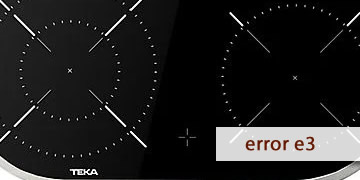
E3 Error on Teka Ceramic Hobs
Table of contents
What the E3 error means on a Teka ceramic hob
The E3 error on a Teka ceramic hob is usually related to an abnormal reading from the temperature system (thermal sensor/NTC or its circuit). Put simply: the hob detects that the thermal signal is not reliable (out of range, unstable, or inconsistent) and protects itself by blocking operation or preventing one or more zones from being activated.
This warning can show up in different ways depending on the model, but it is typically noticed like this:
- You try to activate a zone and the hob stops and shows E3.
- It runs for a few minutes and then stops, especially after it warms up.
- The fault always appears on the same zone or on the same side of the hob.
The most common causes usually include:
- Degraded thermal sensor (NTC) or readings out of range.
- Wiring/connector with poor contact near the electronics.
- Heat build-up under the hob due to poor ventilation, which ends up destabilizing readings.
- Less commonly, an internal fault in the power module or control measurement circuitry.
In short: E3 is usually not a one-off “user” error, but a preventive lock-out because the hob cannot manage temperature safely.
Steps to clear E3 and prevent it from coming back
A ceramic hob operates on mains voltage. Do not open the hob or handle terminals if you are not a technician. This order helps you rule out the most common causes and narrow down where E3 is coming from.
- Stop using it and let the hob stabilize
- Switch off all zones.
- Wait 15–20 minutes for temperatures to drop and the electronics to normalize.
- Avoid repeated resets while the cabinet is still hot.
If E3 is related to heat build-up or an unstable reading due to temperature, this step alone can make a difference.
- Perform a full electrical reset
- Switch off the circuit breaker for the hob circuit.
- Wait 3–5 minutes (not just a few seconds).
- Restore power and test one zone only at medium power.
- Check whether the error is tied to a specific zone
- Activate each zone separately, without using multiple zones at the same time.
- If E3 always appears on the same one, that zone’s thermal reading is very likely involved.
- If it appears with any zone or immediately on power-up, it points more to control/power supply/general reading.
- Check the cabinet ventilation (key for ceramic hobs)
- Remove items from the drawer below if they are pressed against the underside (cloths, papers, utensils).
- Make sure the cut-out is not “sealed” with no air intake/outlet.
- If there is an oven underneath, test with the oven switched off.
Excess heat under the hob can cause erratic readings and recurring lock-outs.
- Clean and dry the control area thoroughly
- Wipe with a soft cloth to remove grease or cleaner residue.
- Then dry with a completely dry cloth, without leaving a moisture film.
If there is moisture or dirt near the controls, it can worsen system behavior and make the fault more frequent.
- Do not force repeated on/off attempts if E3 returns
- If the code comes back, avoid repeated attempts “to see if it works”.
- Let it rest, cut power for a few minutes, and do a single test.
- When it makes sense to move to technical diagnosis
- E3 appears when cold or within seconds of switching on.
- It repeats after proper electrical resets and with good ventilation.
- The fault is constant on the same zone or side.
At that point, it is common to check the NTC sensor(s), wiring continuity and connectors, and assess whether the cause is in the power module or the control.
If E3 disappears after cooling down and resetting, it is often a one-off reading or thermal conditions that destabilized the system. If it repeats easily, treat it as a thermal-reading issue: start with ventilation and installation, then move on to sensors/connections if everything above is correct.