 Português (Portugal)
  Español (España)
  English (United Kingdom)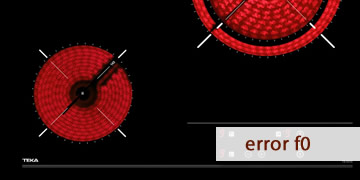
Error F0 on Teka Ceramic Hobs
Table of contents
What the F0 error means on a Teka ceramic hob
The F0 error on a Teka ceramic hob is usually linked to an internal fault in the electronic control (the module that interprets touches, manages safety, and coordinates power-up). In practical terms, the hob detects that the microcontroller is not operating as it should (failed self-checks, irregular behavior, or inconsistent internal readings) and triggers a preventive lock to avoid unpredictable operation.
That’s why F0 commonly shows up with one or more of these symptoms:
- The message appears as soon as power is restored or when you try to switch on, and the hob does not respond normally.
- The hob stays locked, turns itself off, or won’t allow cooking to start.
- The fault appears after a brief outage, a voltage rise/drop, or a sudden reconnection of the circuit.
Important: if your appliance is induction and the problem happens only on one zone with a specific pan, first rule out an incompatible pan or poor “detection” (non-ferromagnetic base, insufficient diameter, empty pan, etc.). If F0 appears generally or at start-up, it usually points to the control electronics.
How to clear F0 and what to check so it doesn’t come back
With F0, it’s best to proceed methodically: first try to restore the control state with a full reset, then rule out triggers (moisture, overheating, and supply issues). If it persists, that’s a strong sign of a stable electronic fault.
- Perform a full power reset from the electrical panel
- Switch off the hob’s circuit breaker.
- Wait 10 minutes (a true discharge of the control).
- Restore power and try turning on using one zone at medium power.
If F0 was triggered by a one-off mains event, this step is the most likely to “clear” the lock.
- Leave the control area in “sensor-grade” condition
- Dry the glass and touch area with a soft cloth.
- If you cleaned recently, avoid residues that leave a film.
- Remove any objects resting near the controls (cloths, lids, utensils).
- Avoid control overheating and improve ventilation
- If the hob was used intensively, let it cool completely before testing again.
- Check the cavity below is not “sealed” and that nothing is pressed against the underside.
- If there’s an oven underneath, test the hob with the oven off to rule out heat build-up.
- Rule out an unstable power supply (very common after outages)
- Test with no other heavy loads running (oven, water heater, washing machine, etc.).
- If you notice flickering lights, breaker trips, or irregular electrical behavior, a professional should check terminal tightness and connection integrity (especially the neutral).
- Note the pattern to guide diagnosis
- F0 immediately on power-up: usually indicates a persistent control fault.
- F0 after a few minutes: may be influenced by heat, moisture, or an unstable supply, although it can also mean the electronics are degrading.
- When it makes sense to call a technician
- F0 returns after the full 10-minute reset.
- The hob locks frequently or behaves erratically.
- There’s no link to moisture, heat, or installation, and the message appears the same way every time.
In these cases, the usual next step is to diagnose the control module (touch/control) and consider electronic repair or replacement depending on the model.
If F0 was an isolated incident, a full reset plus drying/ventilation usually resolves it. If it repeats easily or appears immediately when power is restored, the most efficient approach is to focus the solution on the electronic control to prevent recurring lockouts.