 Português (Portugal)
  Español (España)
  English (United Kingdom)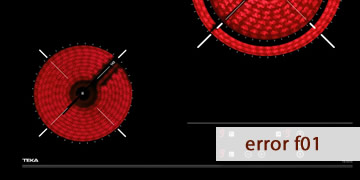
F01 Error on Teka Vitroceramic Hobs
Table of contents
What the F01 error means on a Teka vitroceramic hob
The F01 error on a Teka vitroceramic hob is usually linked to a power supply issue, most often related to voltage being out of range or a supply condition that the electronics considers unsafe. To prevent damage, the hob triggers a protective lock and may refuse to start or stop after a few seconds.
How it usually shows up
- The code appears when you switch it on or right after power returns
- The hob does not respond or switches off immediately
- It may repeat if the voltage remains unstable or there is a poor connection
Common reasons behind F01
In most cases, the cause is not a specific cooking zone or cookware. Instead, it is the electrical environment. The most frequent causes include:
- Micro-outages or abrupt power reconnections
- Voltage fluctuations due to spikes, drops, or an unstable household supply
- Loose connections in the terminal block (live/neutral) or wiring with poor contact
- A connection setup that does not match the wiring diagram required for the model
In short, F01 is usually the hob saying “the power is not reaching me as it should”, so it protects itself.
How to clear F01 and what to check so it does not return
To deal with F01 efficiently, first try to clear the lock with a proper reset. Then, if it comes back, check supply stability and connections. This order avoids pointless resets.
- Reset the hob from the electrical panel
- Switch off the relevant circuit breaker
- Wait 5 minutes so the electronics can discharge
- Restore power and test one zone at medium power
If F01 was triggered by a one-off event, this step often restores normal operation.
- Check whether the error was one-off or persistent
- If it disappears and does not return, it was likely a temporary fluctuation
- If it appears every time you try to start, it points to out-of-range voltage or a stable poor contact
- Reduce simultaneous loads and observe the supply
- During testing, avoid running the oven, water heater, washing machine, or dryer at the same time
- If lights flicker or dim, that is a sign of instability
- If the error lines up with those symptoms, the priority is checking the installation
- Recommended connection check (with a professional)
- If F01 repeats, an electrician should check terminal tightness and the condition of the neutral
- Also confirm that the wiring configuration (single-phase/three-phase/bridges) matches your model
A loose connection can cause incorrect voltage readings, which can trigger locks even when everything looks “fine” on the surface.
- When it makes sense to call an appliance technician
- The installation is correct and stable, but F01 still appears
- The error shows up without any link to outages or fluctuations
- The hob locks even when cold, with no load, and after a reset
In that case, the issue may be within the control electronics or the voltage-sensing circuit, and an internal diagnosis is needed.
If F01 was a one-off episode, it usually clears with a reset at the panel. If it becomes recurrent, the key is confirming supply stability and connections, because the hob is detecting power conditions outside safe limits