 Português (Portugal)
  Español (España)
  English (United Kingdom)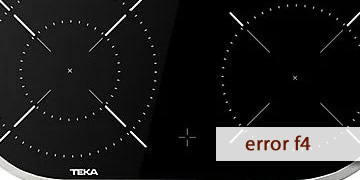
F4 Error on Teka Ceramic Hobs
Table of contents
What the F4 error indicates on a Teka ceramic hob
The F4 error on a Teka ceramic hob is often linked (on certain touch control models) to an unstable ambient light condition that interferes with the panel reading: flickering lighting, sudden light changes, or highly variable reflections near the sensor/controls. When the electronics detect that “unreliable reading”, the hob may lock to prevent phantom touches or incorrect activations.
This F4 often appears in scenarios such as:
- Low-quality LED spotlights, fluorescent lights, or dimmers that generate flicker.
- Direct sunlight coming and going (clouds, blinds) creating rapid changes over the panel.
- Strong, shifting reflections on the glass (hood, windows, glossy surfaces).
- Highly reflective or bright objects near the control area.
In short: F4 is usually an “external” warning (environment/lighting) rather than a classic power fault, although if it repeats even with stable lighting, it is worth suspecting the touch control itself.
How to clear F4 and prevent it from coming back
The key here is to try simple environmental changes before assuming a component failure. Follow this order and note what changes, because it helps a lot if you later need to call service.
- Remove “nervous” light sources near the hob
- Temporarily switch off problematic LED spotlights, fluorescent lights, or dimmable lights.
- If possible, test with a different ceiling light or more even lighting.
On some touch controls, F4 is associated with strong ambient light fluctuations.
- Reduce reflections and sudden changes
- Lower blinds/shades if direct sunlight hits the control area.
- Avoid a concentrated light beam shining directly onto the controls.
- Remove very shiny or reflective objects placed near the control panel.
- Clean and thoroughly dry the control area
- Wipe with a soft cloth to remove grease or cleaner residue.
- Then dry with a completely dry cloth, without leaving a film.
If the panel is dirty or damp, it is easier for it to misread along with reflections or flicker.
- Perform a full electrical reset
- Switch off the circuit breaker for 3–5 minutes.
- Restore power and test one zone at medium power.
If F4 was caused by a one-off interference, the reset often stabilizes the control.
- Check whether F4 depends on the “time of day”
- If it only appears in the morning/afternoon (direct sun) or only with certain lights on, the cause is almost certainly environmental.
- If it appears the same under any lighting and with no sun, the issue may be within the touch control itself.
- When it makes sense to call a technician
- F4 returns with stable light, no reflections, and after an electrical reset.
- You notice the panel only responds sometimes or makes erratic selections.
- The error appears when cold, right after power-up, with no special lighting conditions.