 Português (Portugal)
  Español (España)
  English (United Kingdom)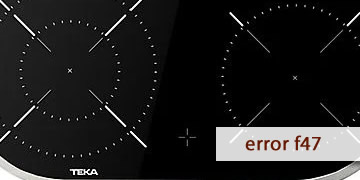
F47 Error on Teka Ceramic Hobs
Table of contents
What the F47 error reveals on a Teka ceramic hob
The F47 error on Teka ceramic hobs usually appears when the hob detects a communication fault between the touch control (control panel) and the power module. On some models this warning may also be displayed as ER47, but in practice it describes the same type of issue: the electronics are “not communicating” internally and the hob blocks operation for safety.
How does this fault typically show up in day-to-day use?
- The hob turns on, but when you try to activate a zone it cuts out and shows F47.
- One or more zones become unusable (sometimes an entire side) while the rest seems to respond.
- The error appears after a voltage surge/drop, a power outage, or a reconnection at the breaker panel.
- It shows up right after a new installation or recent electrical work.
The key point with this code is the approach: F47 is not usually a “cookware” or user-operation issue, but a warning of an interrupted internal link (connectors, installation, power supply or, if it repeats, the electronics).
Practical steps to clear F47 and get back to cooking
Before thinking about replacements, it is best to follow an orderly process. You do not need to dismantle anything for the first steps. If terminals or wiring must be handled, it is better done by a professional.
- Do a proper “full shutdown”
- Switch off the hob (if it lets you) and switch off the circuit breaker for that circuit.
- Wait 3–5 minutes (not just a few seconds).
- Restore power and test a single zone at medium power.
This longer reset often restores communication when the error was triggered by a spike or micro power cut.
- Start with minimal load and observe the pattern
- Avoid intensive functions and do not use multiple zones at the same time during the first test.
- If F47 always appears when activating the same zone or the same side, the fault is usually localized.
- If it appears even without activating zones, the issue points more to power supply/start-up.
- If the error started after installation or electrical work, check the most common point
- Confirm the electrical connection matches the model’s wiring diagram (voltage and bridging links).
- A loose terminal or an incorrectly placed link can cause strange behavior and communication errors.
This step should be done by an electrician if you are not used to working with mains voltage.
- Rule out “environmental” overheating
- Check that the underside of the cabinet has sufficient ventilation.
- Remove items from the drawer below if they are pressed against the base of the hob.
- If there is an oven underneath, avoid long combinations at maximum load during testing.
Excess heat can destabilize the electronics and make communication faults more likely.
- Avoid on/off loops
- If F47 appears, do not force it with repeated attempts.
- Let it rest, cut power for a few minutes, and then try once more.
- When it makes sense to move to technical diagnosis
- F47 returns after several full resets and with no changes to the installation.
- The fault is constant on the same side/zone.
- The hob runs for a few minutes and then fails in the same way every time.
At that point, it is common to check the internal connectors between the control and the module, the interconnecting wiring and, if necessary, the touch control or the power module.
- How to reduce the chance of it coming back