 Português (Portugal)
  Español (España)
  English (United Kingdom)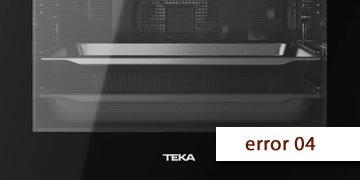
Error 04 on Teka ovens
Table of contents
What the 04 error usually indicates on a Teka oven
When a Teka oven shows “04” on the display, it is usually warning about a safety condition detected by the electronic control. The key detail is that, depending on the model and the type of control panel, that “04” may correspond to a family of faults (sometimes it appears with a prefix such as E/F/C).
In practice, the most common scenarios where “04” appears typically fit one of these patterns:
- Lockout due to an abnormal state after a power cut or a sudden reconnection (the control goes into protection and needs a proper reset).
- Reading issue (probe/temperature) if the error appears when starting heat or shortly after heating begins.
- Door/lock safety issue on models with specific functions (for example, a lock/safety mechanism in certain cycles).
That’s why, before linking it to a specific part, it helps to focus on when it appears: at power-up, when starting a program, when increasing temperature, or after several minutes. That detail changes the diagnosis completely.
How to clear 04 and what to check before requesting assistance
To deal with 04 without wasting time, follow an order that first rules out simple lockouts and then helps you see whether the fault is persistent. If the electrical panel trips or you smell burning, cut power and don’t keep trying.
- Do a full electrical reset (the one that actually discharges the electronics)
- Switch off the oven’s circuit breaker.
- Wait 10 minutes.
- Restore power and test a basic function for 1–2 minutes.
This step is key when “04” appears after brief outages or the oven gets stuck in a strange state.
- Check whether the error appears without heating or only when requesting heat
- Appears immediately at power-up: usually points to the control/panel or a safety state.
- Appears when starting a function: may be linked to temperature reading or to a component that triggers protection.
- Appears after several minutes: fits overheating, ventilation, or a reading drifting out of range.
- Let the oven cool down and check cabinet ventilation
- If you were using it heavily, wait 30–60 minutes before repeating tests.
- Make sure air outlets are not blocked by objects or by a cabinet that is too enclosed.
- If your oven has a cooling fan, note whether it runs when it should.
- Avoid “back-to-back testing” and note the behaviour
- Run short tests using only one function.
- Write down: does 04 appear instantly, when pressing start, when reaching X °C, or after a while?
- This pattern is the single most useful clue for pinpointing the cause.
- When it makes sense to call a technician
- 04 returns after the full reset.
- The oven won’t start any program or always locks out the same way.
- There are extra symptoms: repeated beeps, shut-offs, a fan that won’t start, or the electrical panel tripping.
In that case, the technician will usually check the control assembly and the relevant safety/reading components based on the pattern you observed.
If 04 was a one-off lockout, a full reset often brings the oven back to normal. If the code repeats with the same pattern, the key is diagnosing which signal or condition is triggering the protection and fixing it at the source