 Português (Portugal)
  Español (España)
  English (United Kingdom)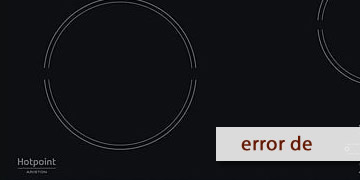
DE Error on Hotpoint Ceramic Hobs
Table of contents
What the DE code means on a Hotpoint ceramic hob
The DE code on Hotpoint ceramic hobs does not usually indicate a fault as such, but rather that the hob has the demo mode activated. In that state, the appliance may switch on, show controls or respond on the panel, but it does not heat, because the cooking function is disabled.
This can make it seem as though the ceramic hob is broken, when in reality the issue lies in the active configuration of the appliance. That is why, if you see DE on the display, the first thing is not to assume the hob is damaged, but to check whether this special mode has been activated.
The most common symptoms are usually these:
- The hob switches on normally
- The panel responds to the controls
- The zones seem to be selected, but they do not heat up
- The DE code appears on the display
How to remove DE and use the hob normally again
If DE appears, what you need to do is deactivate demo mode. In Hotpoint official manuals, the procedure may vary slightly depending on the model, but it is always done just after connecting the hob to the power supply and within a limited time.
- Connect the ceramic hob to the power supply
- The hob must receive normal power
- It is important to wait for the initial start-up sequence
- Use the key combination required for your model
- On some models, you need to hold down the P button of a specific zone for a few seconds
- On others, two zone selection keys must be pressed at the same time
- The operation must be carried out within roughly the first minute after connecting the hob
- Check that the code disappears
- If demo mode is deactivated correctly, the DE indication will no longer be shown
- After that, the hob should heat normally again
- If it does not work the first time, repeat the process calmly
- On some models, if it is done too late or the combination is not pressed correctly, the operation fails
- It is advisable to repeat it by following the exact sequence for the specific model
- When it is advisable to ask for help
- The DE code continues to appear after repeating the sequence
- You do not know the correct key combination for your model
- The hob still does not heat even though demo mode seems to be deactivated
In that case, the most useful thing is to check the exact model manual or contact support indicating that the hob shows DE and seems to be in demonstration mode
If your Hotpoint ceramic hob shows DE, the most likely explanation is not a fault, but that it is set to demo mode. Deactivating it is usually the key to making it heat and work normally again