 Português (Portugal)
  Español (España)
  English (United Kingdom)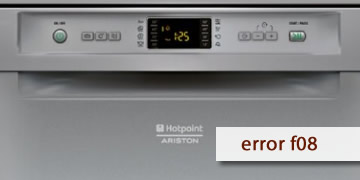
F08 Error on Hotpoint Dishwashers
Table of contents
What the F08 error means on a Hotpoint dishwasher
The F08 error on Hotpoint dishwashers usually points to a problem related to temperature or the heating control system. In practical terms, the dishwasher detects a thermal reading outside the expected range or that the system is not controlling the temperature properly, and it protects itself.
It is common to notice it like this:
- The cycle stops or gets stuck halfway through
- The timings become unusual and take far too long
- The error appears when it reaches phases where it would normally heat
How to clear F08 and what to check so it does not come back
With F08, you can check the basics and perform a reset. If it comes back, it almost always requires a diagnosis of the thermal circuit (sensor/heating system).
- Complete power reset
- Turn off the dishwasher
- Unplug it from the power supply for 5 minutes
- Plug it back in and test a normal programme
- Confirm correct water inlet
- Tap open and normal water pressure
- Clean inlet filter
Without proper filling, the heating system behaves abnormally and may trigger thermal error codes
- Avoid repeating intensive cycles while diagnosing
- Try a standard cycle
- If the error appears again in the same way, note when it happens (this helps technical service a lot)
- When it is advisable to call technical service/a technician
- F08 reappears after the reset and with correct water inlet
- The dishwasher does not complete programmes or always stops when heating
- The error repeats over several cycles
In that case, the temperature sensor, heater, and related control system are usually checked
If F08 happened only once, the reset may solve it. If it keeps coming back, the most efficient solution is to inspect the thermal system so the dishwasher can return to stable cycles