 Português (Portugal)
  Español (España)
  English (United Kingdom)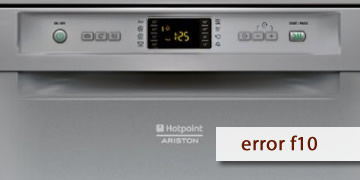
F10 Error on Hotpoint Dishwashers
Table of contents
What the F10 error usually indicates on a Hotpoint dishwasher
The F10 error on Hotpoint dishwashers is usually related to the heating system or to the logic that controls temperature. In practice, the appliance detects that it is not reaching or managing the temperature as expected and goes into protection mode, which is why it may stop the cycle or make it run abnormally long.
The most common signs when F10 appears are:
- The cycle gets “stuck” in one phase and does not continue
- The timings become strange (it takes far too long)
- The dishwasher finishes, but with poor results and no feeling that the water was hot
How to clear F10 and what to check before calling technical support
With F10, you can rule out a temporary glitch and confirm that the appliance is filling correctly. If the code comes back, it usually means the thermal circuit needs technical inspection.
- Complete power reset
- Turn off the dishwasher
- Disconnect it from the power supply for 5 minutes
- Plug it back in and test a standard cycle
- Check that water filling is normal
- Tap fully open and correct water pressure
- Clean inlet filter (if clogged, it affects the whole cycle)
- Run a test without using an “intensive” cycle
- Select a normal program to check whether the fault appears immediately
- If the error only appears on intensive mode, it may be failing when the heating system works harder
- When it is advisable to call technical support/a technician
- F10 reappears after a reset and with correct water inlet
- The dishwasher does not complete cycles or always stops at the same stage
- The fault repeats on different programs
In that case, the heater, temperature sensor, and related control electronics should be checked
If F10 was caused by a temporary system freeze, a reset may solve it. If it keeps coming back, the most efficient solution is to inspect the heating system to restore stable cycles