 Português (Portugal)
  Español (España)
  English (United Kingdom)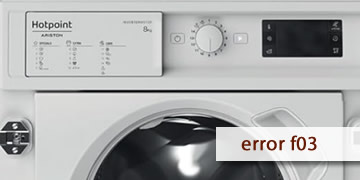
Error F03 on Hotpoint washing machines
Table of contents
What the F03 error usually means on a Hotpoint washing machine
The F03 error on Hotpoint washing machines is associated with a temperature detection fault. In practice, the system is not reading the temperature correctly and the washer may not heat on programs that should, or it may stop to protect the cycle.
You’ll usually notice it like this:
- Cycles that should run at 40/60 ºC behave as if they were cold washes
- The program takes longer or seems to “think” before moving on
- The error appears at a repeatable point in the cycle
How to clear F03 and what to check before calling the service center
With F03 you can do safe checks (reset and program selection), but if it repeats it usually requires inspection of the sensors and heating circuit.
- Complete electrical reset
- Turn the washing machine off
- Unplug it for at least 2 minutes
- Plug it back in, wait 30 seconds, and try a program
- Test a program that actually heats
- Avoid “Cold” or very “Eco” cycles if you’re checking heating
- Select 40 ºC and let it run a few minutes to observe the behavior
- Reduce factors that can skew the test
- Avoid too much detergent (excess foam can cause stops or odd readings)
- Don’t overload the drum
- When it’s best to call a technician
- F03 returns after the complete reset
- The washing machine never heats on programs that should heat
- The error always appears when it reaches the heating phase
In that scenario, it’s common to check the temperature sensing system and the heating-related circuit, because the appliance is detecting a real fault.
If F03 was a one-off, a reset may unblock the control. If the code keeps returning, the most efficient solution is a technical inspection of the temperature system to restore stable heated wash cycles.