 Português (Portugal)
  Español (España)
  English (United Kingdom)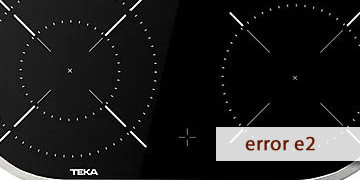
E2 Error on Teka Ceramic Hobs
Table of contents
What the E2 error reveals on a Teka ceramic hob
The E2 error on a Teka ceramic hob usually appears when the hob detects that the electronic unit is overheating. In practice, it is a thermal protection: the hob limits or blocks operation to prevent heat from damaging the control electronics.
This warning typically comes with a fairly recognizable “context”:
- It appears after continuous use (several zones at high power for a period of time).
- It triggers when the cabinet cut-out has poor ventilation or is too enclosed.
- It may repeat if there is an oven underneath adding heat to the underside of the hob.
- In some cases, it shows up on very hot days or in poorly ventilated kitchens.
The key point about E2 is that it usually does not point to “a button” or a one-off user mistake, but to the hob operating without enough thermal headroom. That is why the focus is almost always on cooling down, resetting, and checking installation/ventilation.
What to do to clear E2 and prevent it from coming back
These steps are ordered so you can rule out the most common causes without dismantling anything. If wiring or installation needs to be checked, it is best handled by a professional.
- Stop cooking and let the hob cool down properly
- Switch off all zones.
- Wait 15–30 minutes (take your time if the cabinet was very hot).
- Avoid “testing your luck” by switching it on and off repeatedly.
If E2 was triggered by heat build-up, this cool-down is the first step that truly changes the situation.
- Perform a full electrical reset
- Switch off the circuit breaker for 3–5 minutes.
- Restore power and test a single zone at medium power.
- Check the cabinet ventilation (the most decisive point)
- Remove items from the drawer below if they are pressed against the base of the hob (papers, cloths, utensils, etc.).
- Make sure the space is not tightly “sealed” with no air intake/outlet.
- If the fit is very tight, verify the clearances recommended by the manufacturer are respected.
- If there is an oven underneath, test without it
- Run a test with the oven off and the hob at moderate power.
- If E2 only appears when both are used together, the problem is usually heat build-up inside the cabinet.
- Reduce the load for a while and see whether the pattern changes
- Avoid keeping several zones at maximum power for long periods.
- Alternate power levels and allow “rest breaks” if the kitchen is hot.
- If your model has active ventilation, it is normal for the fan to keep running for a while after switching off.
- When it makes sense to move to a technical inspection
- E2 appears when the hob is cold or within a few seconds of switching on.
- It repeats even when the cabinet is well ventilated and there has been no demanding use.
- You notice frequent abrupt shut-offs or unstable behavior in the zones.
In these cases, it is often necessary to check thermal control elements and the electronics, because the system may be reading incorrectly or protecting itself due to an internal issue.
- How to prevent it from triggering again
- Keep the underside of the hob clear.
- Avoid enclosing the ceramic hob without ventilation.
- If E2 appears during heatwaves, cook with steadier power levels and avoid prolonged “max power” runs.
When E2 is caused by a one-off thermal situation, it usually clears after cooling down and resetting. If it becomes recurrent, there is almost always a ventilation/installation cause or a component that is triggering the protection too early.