 Português (Portugal)
  Español (España)
  English (United Kingdom)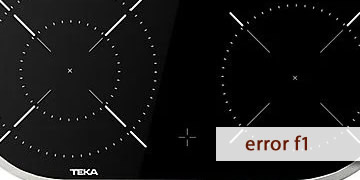
F1 Error on Teka Ceramic Hobs
Table of contents
What the F1 error means on a Teka ceramic hob
The F1 error on a Teka ceramic hob usually appears when the system detects a touch-panel sensor/key “active” for too long (more than a few seconds). In other words: the hob interprets continuous touch input or an abnormal reading in the control area and protects itself by blocking operation to prevent accidental activation.
Most of the time, F1 is not a “power” fault as such, but rather an issue caused by interference on the touch controls. It is often triggered by very everyday things:
- An object placed on the control panel (cutlery, a lid, a cloth, a phone, etc.).
- Moisture, steam, or cleaning residue that makes the touch control “read” a constant press.
- Grease or dirt built up right over the controls.
- Resting your hand unintentionally on the control area while cooking.
That is why the typical pattern is that the hob shows F1 and stops responding or responds erratically, especially if the glass is wet or something is touching the panel.
How to clear the F1 error and regain control
In most cases, F1 can be cleared without dismantling anything. Follow these steps in order (from the simplest to the most conclusive).
- Remove anything from the control area
- Remove cloths, lids, utensils, or any object placed near the controls.
- Leave the panel completely clear for a few seconds.
If F1 was caused by a “phantom press” due to contact, the issue often ends here.
- Clean and, above all, dry the control glass
- Wipe with a soft cloth to remove grease or residue.
- Then dry with a fully dry cloth (do not leave a moisture film).
The touch controls can react poorly to droplets, steam, or cleaners that remain on the control area.
- Wait a moment before switching it back on
- Leave the hob off for 1–2 minutes.
- Try again with brief taps (do not press and hold).
- Do an electrical reset if F1 won’t clear
- Switch off the circuit breaker/fuse for the hob circuit or disconnect the hob.
- Wait at least 10–30 seconds.
- Restore power and test again.
This power cut is the “reset” commonly recommended in manuals when the situation persists.
- Check whether the error appears without touching anything
- If F1 appears immediately on power-up and the panel is clean and dry, there may be an actual keypad fault.
- If it only appears while cooking or cleaning, it is usually interference from moisture/heat/steam.
- When it is worth calling a technician
- F1 returns constantly even with a dry panel and no objects.
- You notice keys that do not respond or that act “by themselves”.
- The error appears a few seconds after power is applied, with no interaction.
In that scenario, the touch control (keypad) and its connections are typically checked, as there may be deterioration or persistent internal moisture.
If F1 was a one-off, it is almost always resolved by removing anything resting on the panel and drying the controls thoroughly. If it repeats when cold and with no obvious cause, treat it as a sign that the touch controls are no longer reading reliably.