 Português (Portugal)
  Español (España)
  English (United Kingdom)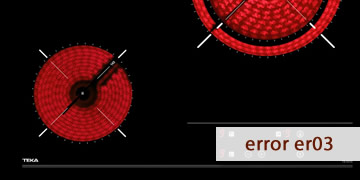
ER03 Error on Teka Induction Hobs
Table of Contents
Why the ER03 error appears on a Teka induction hob
The ER03 error on a Teka induction hob is, in most cases, related to a problem with the touch control panel. The electronics interpret that a key is being pressed for too long or that there is interference preventing the controls from being read correctly.
This code is very common and, unlike other errors, it usually does not indicate a serious internal fault. It typically appears when the system detects abnormal conditions on the control surface, such as:
- Spilled liquids on the panel (water, oil, sauces).
- Dirt or food residue causing false touches.
- Objects placed on the controls (cloths, lids, containers).
- A continuous or accidental press on a key for several seconds.
On some models, ER03 may also be displayed when the hob tries to protect itself from erratic keypad readings, preventing functions from activating uncontrollably.
In short: ER03 usually means the hob cannot correctly interpret the touch panel and, for safety, it blocks operation until the cause is removed.
How to clear the ER03 error on your Teka induction hob
In most cases, ER03 can be solved without tools or technical intervention. Follow these steps in order.
- Turn off the hob and clean the surface
- Switch off all cooking zones.
- Clean the glass with a dry cloth or a slightly damp one.
- Dry the control area thoroughly; there must be no moisture left.
This step alone often clears ER03.
- Remove any objects from the control panel
- Make sure there are no cloths, lids, utensils, or containers resting on it.
- Leave the surface completely clear for a few seconds.
- Wait a few minutes before turning it back on
- Leave the hob off for 2–3 minutes.
- This allows the touch system to reset properly.
- Perform a power reset if the error persists
- Turn off the circuit breaker (or the switch controlling the hob circuit).
- Wait 1–2 minutes before restoring power.
- Turn the hob on and try with brief, precise taps.
- Avoid long or repeated presses
- Tap the keys clearly, without holding them down unnecessarily.
- Avoid resting your hand or fingers on the panel while cooking.
- When it makes sense to consult a technician
- ER03 appears even when the hob is clean and dry.
- The error shows up immediately after switching on, without touching the controls.
- Some keys do not respond or respond erratically.
In these cases, there may be a fault in the touch keypad or the associated electronics, and professional inspection is required.
- Tips to prevent it from coming back
- Always dry the surface after cleaning the hob.
- Avoid cooking with containers that splash onto the control panel.
- Do not use the hob as a resting surface.
When ER03 appears occasionally, it is almost always caused by moisture or false touches. If it repeats without an obvious cause, it is advisable to check the condition of the touch panel to avoid constant lockouts.