 Português (Portugal)
  Español (España)
  English (United Kingdom)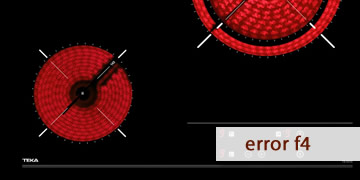
F4 error on Teka induction hobs
Table of contents
What F4 error means on a Teka induction hob
The F4 error on a Teka induction hob usually appears when the electronics detect a temperature condition outside the safe range or insufficient cooling. In practice, it is a protection warning: the hob cuts power or locks to prevent damage to power components (for example, the power module/IGBT) or thermal sensors.
This code can vary slightly depending on the exact hob series, but in most cases the pattern is the same: the hob decides it cannot dissipate heat properly or a sensor is reporting an abnormal reading. That’s why F4 often shows up in situations such as:
- Long use at high power (P/Boost) on one or multiple zones.
- Poor ventilation due to installation (insufficient clearance, blocked vents, oven or other heat source too close).
- A fan that does not start, runs slowly, or makes unusual noises.
- Grease/dust build-up reducing airflow.
- Very hot ambient conditions or an overheated cabinet.
In short: if you see F4, the most common reason is that the hob is protecting itself due to overheating or a cooling/sensor-related issue.
How to clear the F4 error on your Teka induction hob
Induction hobs contain mains voltage and sensitive components. Avoid opening the hob or handling wiring unless you are a qualified technician. The steps below are safe and cover most typical F4 scenarios.
- Let the hob cool down and cut power
- Switch off all cooking zones.
- Wait 10–20 minutes for the internal temperature to drop.
- If F4 does not clear, turn the hob’s circuit breaker off for 1–2 minutes and turn it back on.
This resets the electronics and clears lockouts caused by a one-off overheat event.
- Check cabinet ventilation
- Make sure the vents/air inlets are not blocked.
- Check that no paper, plastic, trays or insulation material is obstructing the underside.
- If the hob is installed above an oven, confirm that the required clearances are respected; oven heat can trigger protections.
- Check whether the fan is working
- After cooking, it’s normal for the fan to keep running for a while.
- If you never hear it, if it sounds rough, or if it runs intermittently, that’s a strong sign of insufficient cooling.
If the fan cannot move air properly, F4 may return even after cooling and resetting.
- Avoid conditions that trigger overheating
- Reduce power instead of using Boost for long periods.
- If you use several zones at once, lower the overall power slightly.
- Do not place cloths, lids or hot cookware near the control area (depending on the model, heat can concentrate there).
- Run a controlled test
- With the hob cold, turn on one zone at medium power (5–6) for a few minutes.
- If it remains stable, increase power gradually.
- If F4 appears immediately with low thermal load, a fan/sensor/module fault is more likely.
- When it’s best to call a technician
- F4 returns even when the hob is cold and you use moderate power.
- The fan does not work, is excessively noisy, or stops intermittently.
- You notice a burning smell, repeated sudden shut-offs, or erratic zone behaviour.
In those cases, diagnosis usually focuses on the fan, NTC sensors, power module (IGBT) and/or control board. A service inspection is worthwhile, because replacing parts blindly is often expensive.
- Tips to prevent F4
- Keep cabinet air inlets clean (dust and grease reduce cooling efficiency).
- Avoid long periods of Boost on multiple zones at the same time.
- If the hob is above an oven, avoid running both at maximum for long continuous periods.
- If you notice early symptoms (odd fan noise, heat cut-outs), act quickly: repeated overheating shortens the life of the power module.
If you share the exact model reference (on the label under the hob or in the documentation), I can tailor this to your specific series, as F4 can have small nuances depending on the electronics.