 Português (Portugal)
  Español (España)
  English (United Kingdom)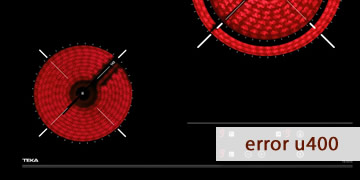
U400 Error on Teka Induction Hobs
Table of contents
How to interpret the U400 message on a Teka induction hob
The U400 error on a Teka induction hob usually appears when the electronics detect an overvoltage or an incorrect electrical connection. For safety reasons, the control switches off almost immediately (sometimes after 1 second) and it may be accompanied by a continuous audible alarm.
This warning typically shows up in very specific scenarios:
- Right after installing the hob or after electrical work/renovation.
- After changing the breaker panel, circuit breaker, or performing a reconnection.
- When the hob is supplied with a configuration that does not match what the model requires (for example, incorrect voltage/bridging links).
- After a mains voltage spike, although the most common root cause is an installation factor.
In practice, U400 is a “stop” message: the hob will not start if it believes the supply is unsafe for the power module.
What to check to clear U400 and prevent it from coming back
Important: this involves mains electricity. Do not handle terminals or wiring if you are not qualified. If you are not a technician, stick to reset steps and basic checks and leave connection verification to an electrician.
- Perform a full electrical reset
- Turn the hob off from the panel (if it allows you to).
- Switch off the circuit breaker for 3–5 minutes.
- Restore power and check whether U400 disappears.
If the error was a one-off event, this reset is often enough. If it returns immediately, the installation must be checked.
- Confirm whether U400 appeared after an installation or reconnection
- If the code appeared “from day one”, it almost always points to an incorrect wiring/connection diagram.
- If it started suddenly after years of use, there may have been an electrical change (or a supply event) worth reviewing.
- Check the model’s voltage compatibility (using the rating label and wiring diagram)
- Locate the model’s rating plate and the wiring diagram in the manual.
- Verify whether your hob supports 230 V or 400 V 2N (depending on the model) and what bridging links it requires.
- If the installation and the diagram do not match, U400 may appear immediately.
- Terminal block and bridging link check (professional only)
- Check that terminals are properly tightened (a loose terminal can cause abnormal readings).
- Confirm the bridging links are installed exactly as the manufacturer specifies for that supply type.
- Verify the presence and condition of the neutral where applicable.
With U400, an incorrectly placed link or an incorrect supply configuration is often the main cause.
- Rule out a genuine mains overvoltage
- If U400 appears at specific times or coincides with issues in other appliances, there may be voltage spikes or supply anomalies.
- An electrician can measure voltage and stability under load to confirm.
- When to stop and call the service center
- The connection has been verified and U400 persists after a reset.
- The code appears despite apparently normal electrical conditions and no recent changes.
- You hear unusual noises, notice a burning smell, or the hob shuts down abruptly.
If the installation is correct, diagnosis moves to internal modules (power supply/filtering/power stage), which is service work.
- How to prevent it from happening again
- Avoid “guesswork” reconnections: always follow the manufacturer’s wiring diagram.
- If there is a history of spikes or micro power cuts, consider proper protection at the breaker panel (per local regulations).
- Do not switch the hob on and off repeatedly if U400 appears: fix the root cause first.
If U400 appears right when power is applied, the most common cause is an incorrect supply configuration. Once adjusted to the model’s wiring diagram, the hob typically returns to normal operation.