 Português (Portugal)
  Español (España)
  English (United Kingdom)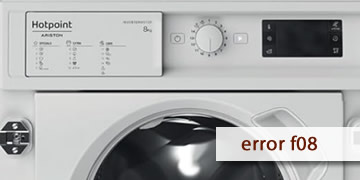
Error F08 on Hotpoint washing machines
Table of contents
What the F08 error usually means on a Hotpoint washing machine
The F08 error on Hotpoint washing machines is usually related to the heating system. In practice, the appliance detects an abnormality in the heater or in the control that manages it (for example, the heating relay) and goes into protection mode, which may stop the program or prevent it from progressing normally.
The most common symptoms when F08 appears are:
- The program pauses or takes much longer than normal
- 40/60 °C washes that seem to run “cold”
- The error repeats every time it reaches the phase where it should heat
How to clear F08 and what to check before calling a technician
With F08, it’s worth ruling out a temporary glitch and confirming the pattern. If it comes back, it usually means the heating system and its control need a technical inspection.
- Full power reset
- Turn the washing machine off
- Unplug it for at least 2 minutes
- Plug it back in, wait 30 seconds, and try a short cycle
- Test with a program that uses temperature
- Avoid “Cold” or very “Eco” cycles if you’re checking heating
- Select 40 °C and let the cycle progress
- Reduce factors that can cause interruptions
- Don’t overload the drum
- Avoid too much detergent (excess foam can disrupt the cycle)
- When it makes sense to call a technician
- F08 reappears after the full reset
- The washer never heats and the fault repeats on multiple programs
- The error always shows up at the same point in the cycle
In that case, it’s common to check the heater, the temperature sensor, and the electronics that control heating, because the appliance is detecting a real abnormal condition.
If F08 was a one-off, a full reset can sometimes solve it. If it returns frequently, the most efficient option is a technical inspection of the heating system to restore stable washes.