 Português (Portugal)
  Español (España)
  English (United Kingdom)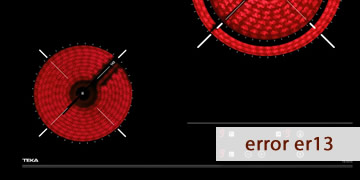
ER13 Error on Teka Ceramic Hobs
Table of contents
What the ER13 error indicates on a Teka ceramic hob
The ER13 error on a Teka ceramic hob usually means the electronics have detected invalid configuration data in memory (EEPROM). In other words: the system “reads” internal parameters that don’t match (or are corrupted) and, for safety, prevents normal operation to avoid erratic behavior.
In technical documentation, this code is linked to “incorrect EEPROM data (external circuit configuration)”, especially on radiant heating hobs with touch control.
When does it usually appear? There are several common scenarios:
- After micro power cuts, voltage dips/surges, or a sudden reconnection of power.
- After changes or work on the electrical installation or breaker panel (tripping, phase changes, etc.).
- If the hob has had episodes of moisture/condensation and the control behaves inconsistently.
- In some cases, when modules have been replaced (touch or power) and an incompatible configuration is left behind or “read” incorrectly.
The key idea is this: ER13 does not point to a specific cooking zone or a user action, but to an internal parameter issue the hob needs in order to operate normally.
How to clear ER13 and what to check so it doesn’t happen again
With ER13 it helps to treat it like an electronic “state” fault: first try to recover the system (a real power reset) and then rule out external causes that can trigger corruption/incorrect reads (voltage, moisture, installation). Follow this order:
- Switch the hob off and cut power at the electrical panel
- Switch off the circuit breaker for the hob (better than turning it off only via touch control).
- Leave it without power for 5–10 minutes to force a full discharge.
- Restore power and try switching on using one zone at medium power.
In many cases, if the error was a one-off event, this “deep reset” makes ER13 disappear.
- Check whether the error appears “cold” or after a few minutes
- If ER13 shows up immediately on power-up, it usually indicates the configuration is still invalid.
- If it appears after a while, unstable supply or an intermittent control issue may be contributing.
- Rule out moisture around the controls and edges
- Dry the glass thoroughly, especially around the touch area and the lower edge.
- If you recently cleaned it, wait a bit and try again.
- Avoid steam from pots or poor extraction “washing” over the front control area.
- Check the power supply: micro cuts and voltage out of range
- If the error coincides with other electrical symptoms at home (flickering lights, breaker trips, etc.), it points to the supply.
- Test the hob at a lower-load time (no oven, water heater, washing machine, etc.).
- If you live in an area with fluctuations, a technician can verify line stability and terminal tightness at the connection box.
- If there was a repair or module replacement, ER13 may be configuration/compatibility
- When the touch control or electronics are replaced, the unit may require configuration or the correct matched set for that model.
- If the error started right after an intervention, it strongly suggests an incompatible module or incorrect parameterization.
- When it makes sense to call a technician (and why)
- ER13 persists after cutting power for 10 minutes and always comes back.
- The hob won’t run stably or locks repeatedly.
- The error started without a clear external cause and keeps getting worse.
In those cases, what’s usually needed is electronic diagnosis (memory/configuration) and, depending on the model, reprogramming or replacement of the touch control or the involved module.
If ER13 was triggered by a one-off electrical event, a reset at the breaker panel plus basic moisture/voltage checks will often solve it. If the code returns immediately, the most efficient approach is to focus the repair on the electronics and the correct model configuration to fix the root cause.