 Português (Portugal)
  Español (España)
  English (United Kingdom)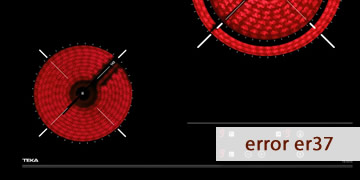
ER37 Error on Teka Ceramic Hobs
Table of contents
Key points to understand what triggers ER37 on a Teka ceramic hob
The ER37 error on a Teka ceramic hob usually indicates a return-signal fault used by the control to select and activate cooking zones. Put simply: the control panel does not receive a valid confirmation from the internal signals that manage selection (segments) or activation (relays/control stage), so it locks operation for safety.
That is why this code often shows up with patterns such as:
- The hob won’t let you select a zone, or it behaves erratically when you try.
- You hear beeps and the control disables itself right after touching the controls.
- ER37 appears suddenly after a voltage spike, a micro power cut, or a sudden reconnection.
In general, ER37 is more commonly linked to the control module (touch/electronic control) than to user handling, cookware, or a specific zone. Even so, before considering replacements, it’s worth ruling out typical “external” causes: moisture on the controls, conductive dirt, and electrical events.
Steps to clear ER37 and measures to prevent it from returning
With ER37, the most effective approach is to follow an order that rules out the usual causes without dismantling anything: a full reset, moisture/cleanliness checks, and pattern verification. If the error persists after these steps, it is typically no longer a one-off lockout.
- Do a full power cut (not just turning it off via the touch panel)
- Switch off the hob circuit breaker at the electrical panel.
- Wait 10 minutes for the electronics to fully discharge.
- Restore power and try switching it on calmly.
This “deep” reset is the first useful test when the control enters protection due to inconsistent internal signals.
- Make the controls spotless: dry and residue-free
- Dry the glass and, especially, the touch-control area.
- If you have just cleaned it, wait a while (residual moisture can trigger false readings).
- Remove grease or dirt that could create a “bridge” (splashes, cleaner film, etc.).
- Check whether ER37 appears “when touching” or “when activating power”
- It appears when touching the controls: often points to a misread at the control (selection signals).
- It appears when trying to start a zone: fits better with internal confirmations not arriving when the system activates.
This detail helps speed up diagnosis if you end up calling service.
- Rule out an unstable electrical context
- Test the hob without other large loads running (oven, water heater, washing machine).
- If you notice light flicker or trips at the panel, it’s worth having a professional check the installation (tighten terminals/connections).
- Avoid switching the breaker on and off repeatedly: sudden reconnections don’t help.
- Verify whether it repeats consistently or was an isolated event
- If ER37 disappears and does not return, it was likely a one-off episode (moisture or an electrical event).
- If ER37 returns within minutes or shows up every time you try to use it, the fault is usually persistent.
- When it makes sense to call a technician
- ER37 continues after the 10-minute power cut and with the panel completely dry.
- The control does not respond normally or locks repeatedly.
- The error appears even when cold and without running multiple zones.
In that scenario, the technician will typically check the control assembly (touch module/board) and internal connections, and consider repair or replacement of the module responsible.
If ER37 was triggered by moisture or a micro power cut, it is usually resolved with a full reset and thorough drying. If the code repeats easily, the most efficient route is to focus diagnosis on the control module to prevent recurring lockouts.